Start singing or humming after the one-bar count-in.
Get ready to hum
Allow microphone access to begin.
Choose the chords
MIDI piano roll
· Notes snap to the key. Drag to move or resize.
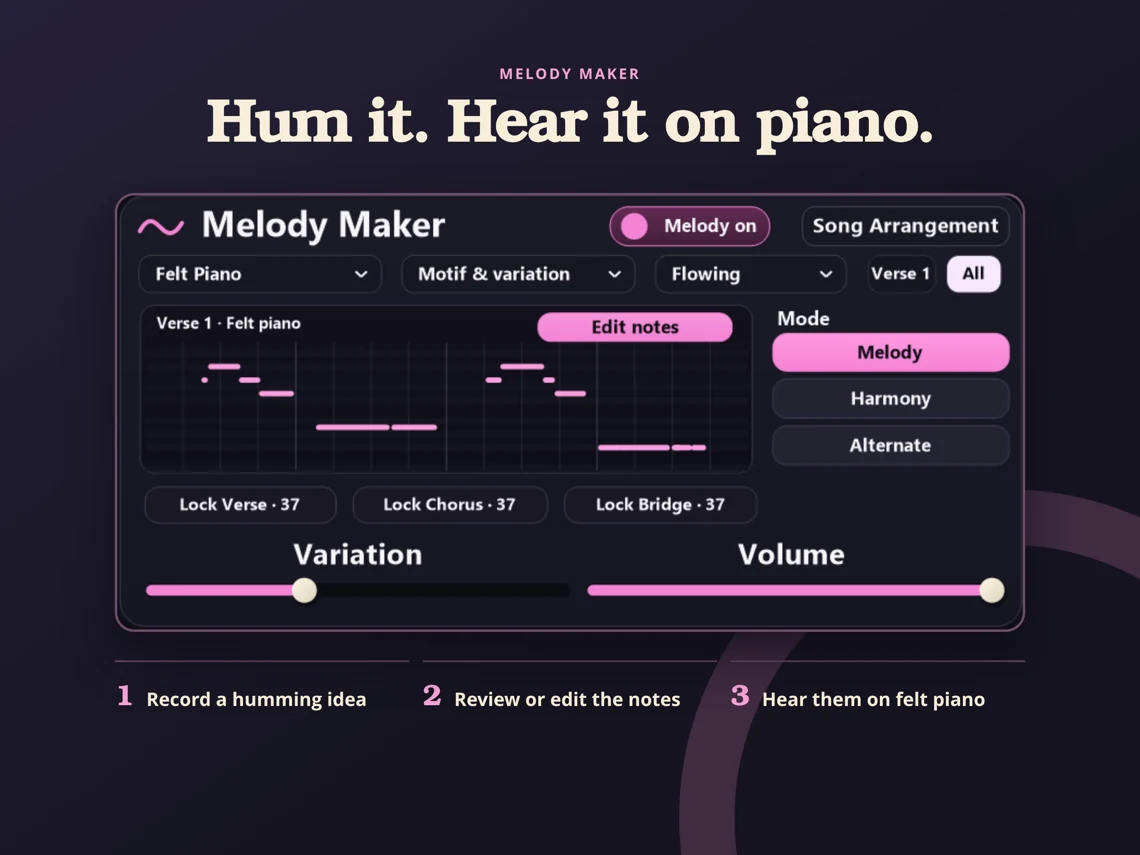
Hum an idea. Hear it become a song.
Record a melody and hear it in key on felt piano with a backing band.
Windows standalone app + VST3 instrument
Start singing or humming after the one-bar count-in.
Allow microphone access to begin.
· Notes snap to the key. Drag to move or resize.
Follow the count-in, then sing or hum the part you want to keep.
Try three progressions around the same take. Edit the detected notes and hear them on felt piano.
In the full Studio, shape the verses and choruses, then bring the MIDI or audio stems into your DAW.
Hear the same tune with a different backing.
Picked nylon guitar, bowed strings, soft piano, and upright bass.
Hear Indie FolkPicked guitar, vibraphone, upright bass, and dusty drums.
Hear Indie Lo-FiShimmering electric guitar, floating pads, and a steady bass line.
Hear Dream PopBuild beyond the four-bar demo in the full Studio. Your melody stays editable as the arrangement grows.
Write in the standalone app or load Songcraft in a compatible Windows DAW.
Windows standalone app + VST3 instrument
Get the full StudioCheckout opens in a new tab so your take stays here.